People
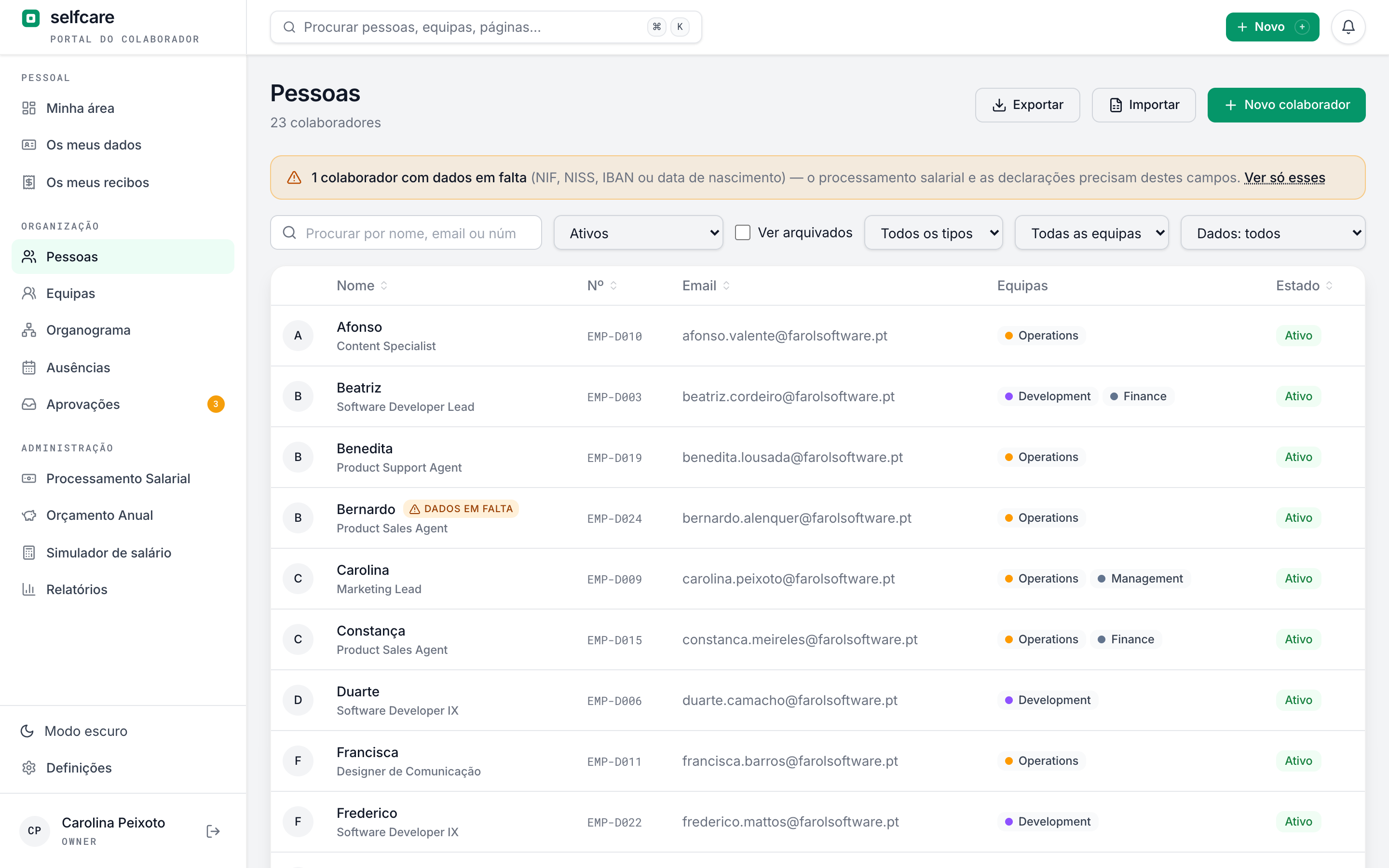
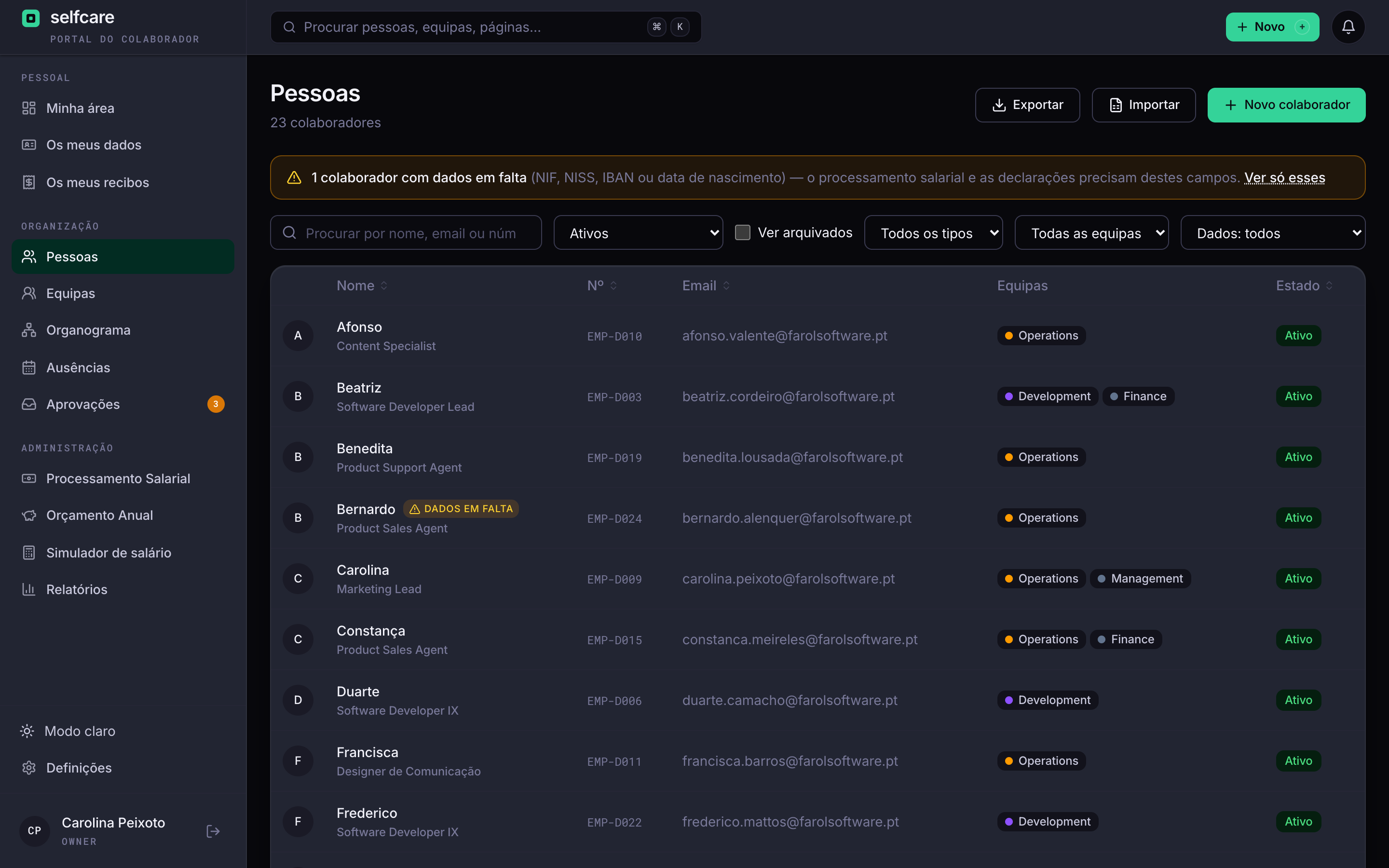
Every employee, the full profile, in one place
Each person's details, their contract and salary history, the teams they belong to and what's still missing. No scattered folders, no parallel Excel file, and each piece of data visible only to those who should see it.
Where is Ana's contract?
The salary is in an Excel file, the last pay rise in an email, the IBAN on a sheet someone updated two years ago. When payroll needs a new person's NIF (tax number), you find out nobody asked for it.
Timeline history
What changed, when, and what it cost
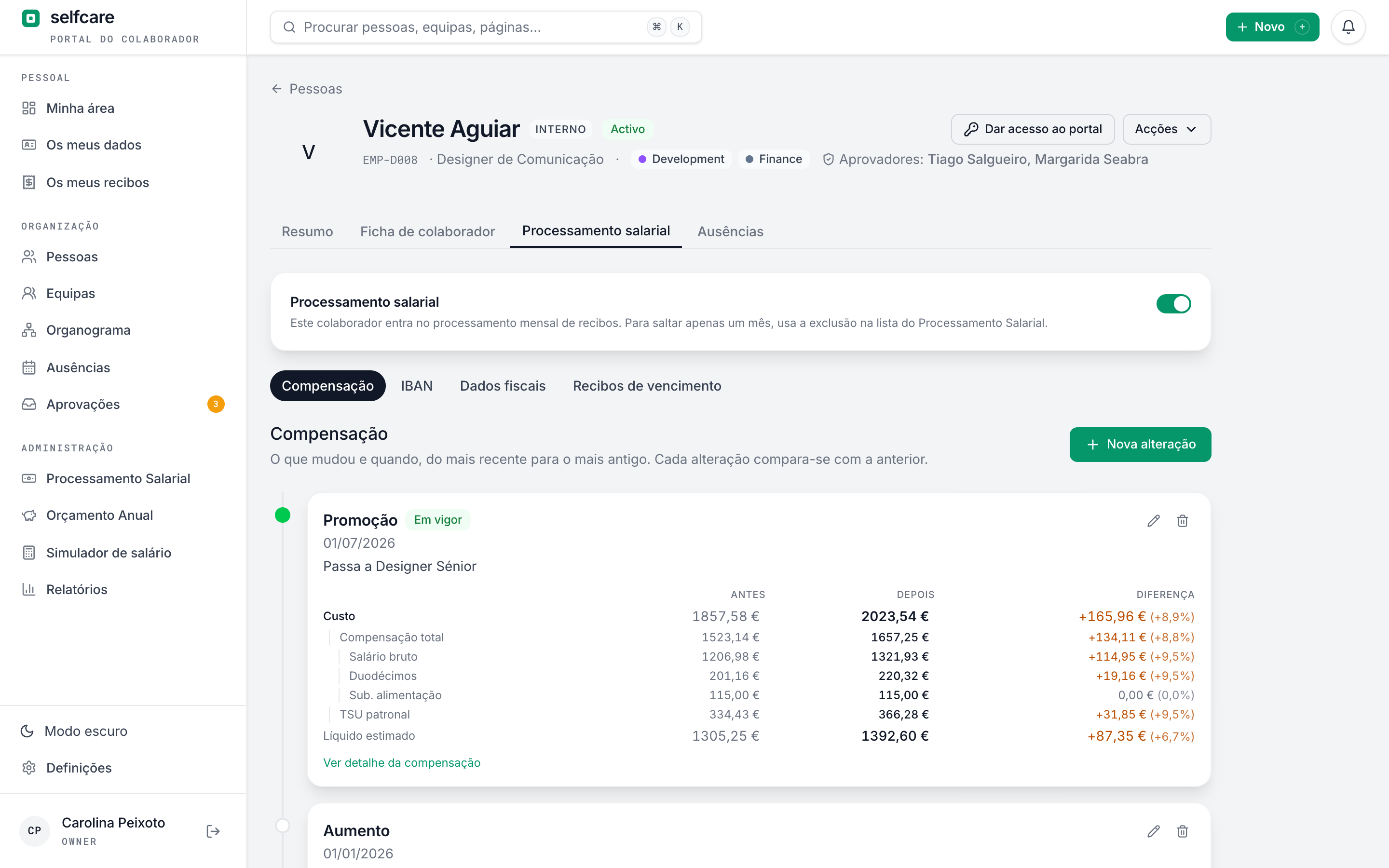
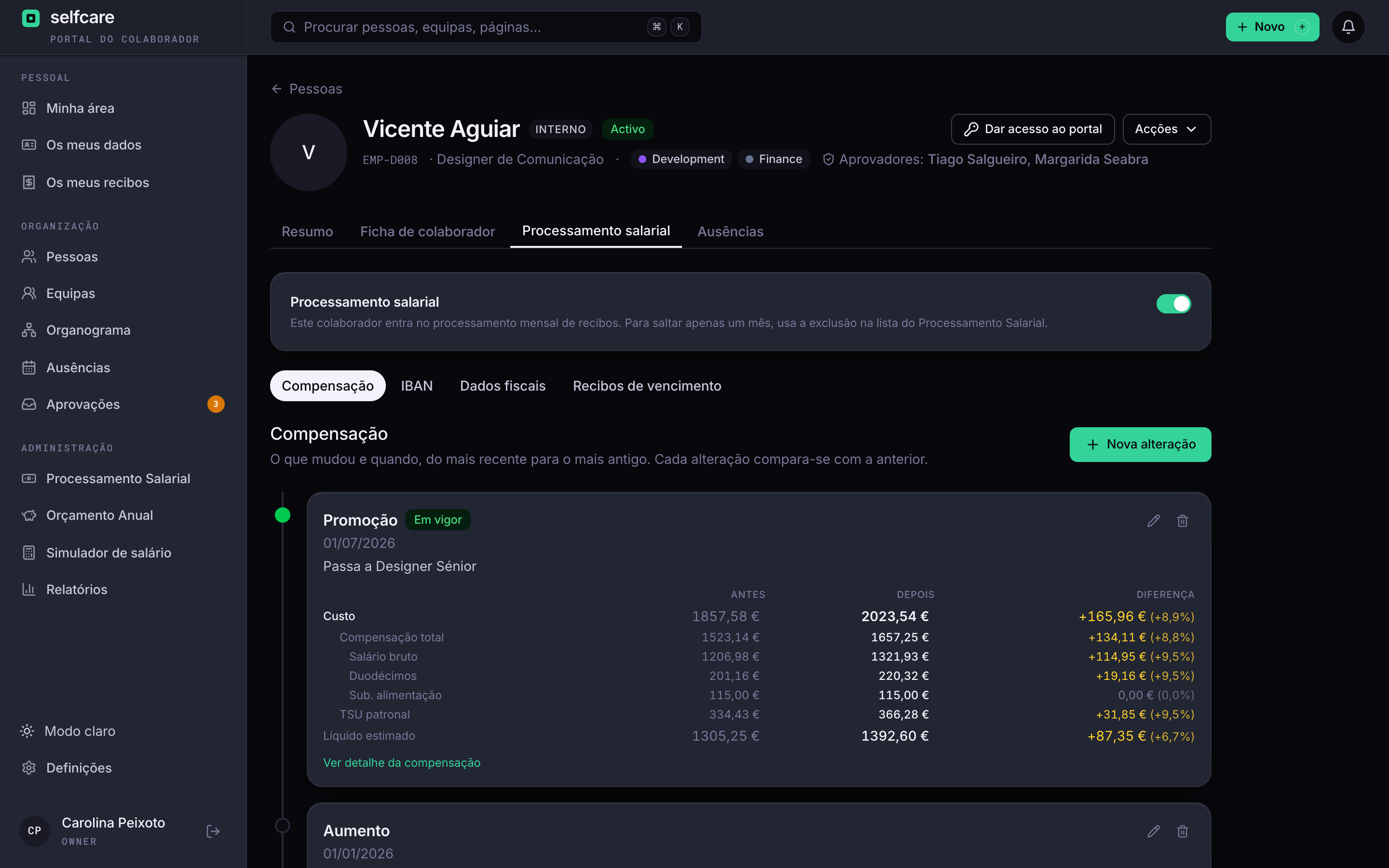
Every change to the contract or salary is a dated entry: hiring, renewal, pay rise, promotion. The new entry closes the previous one, and the full history stays for good.
- Cost to the company, annual package and estimated net pay on every entry
- Before and after side by side on every change, with the difference
- Contract and salary change together in one update, when that's the case
- Anything that has already been through a payslip can't be deleted
Custom fields
The fields your company needs, without asking anyone
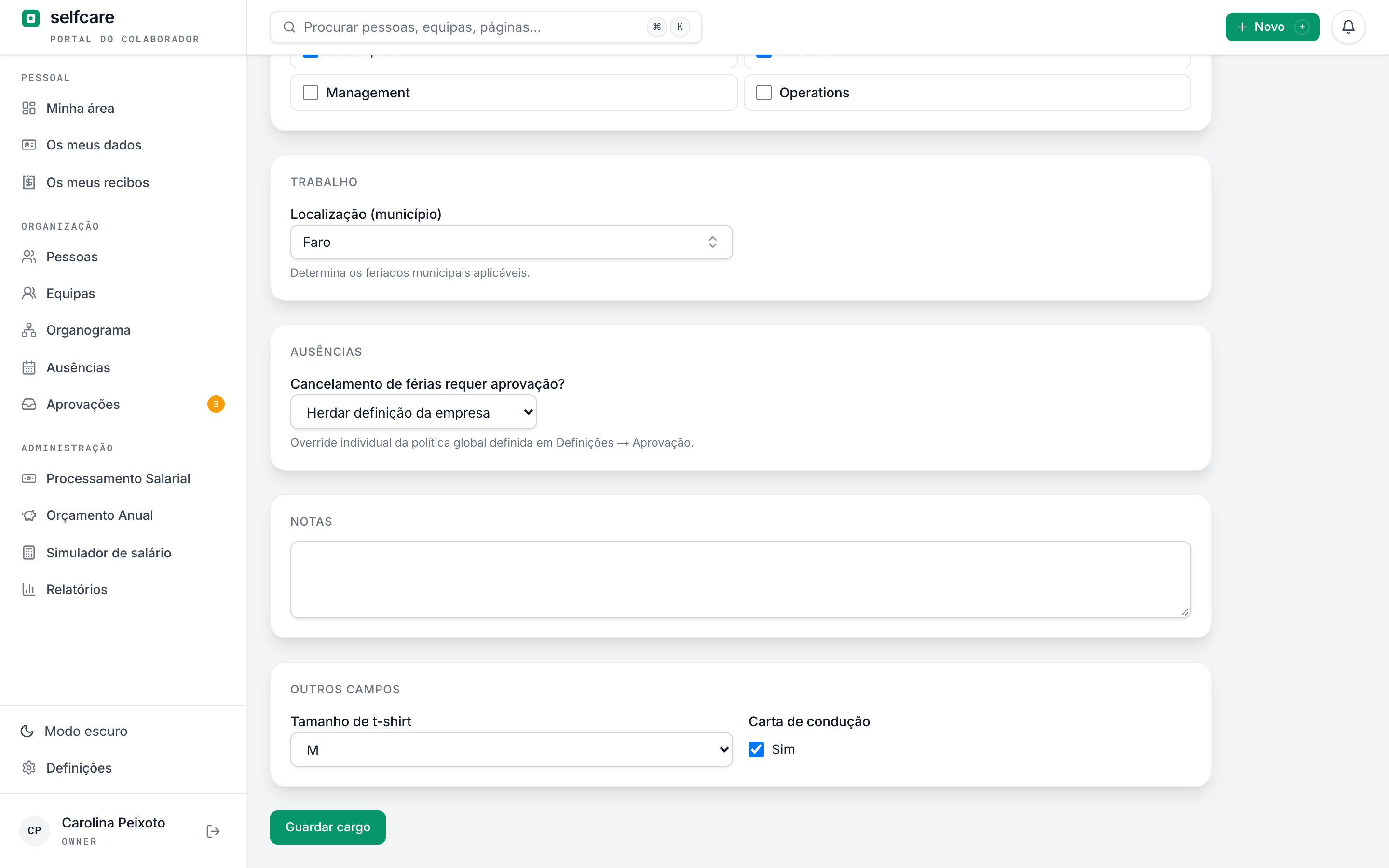
T-shirt size, driving licence, dietary restrictions, locker number. You create the field in Settings and it shows up on everyone's profile.
- Text, number, date, yes or no and a choice from a list
- Work or personal fields, and personal ones are protected like everything else
- Required if you want, and asked for straight away in onboarding
- Each person fills in their own personal fields
A 30-minute demo with your own data imported live.
Teams and org chart
The company as it really is, not as it fits in an org chart
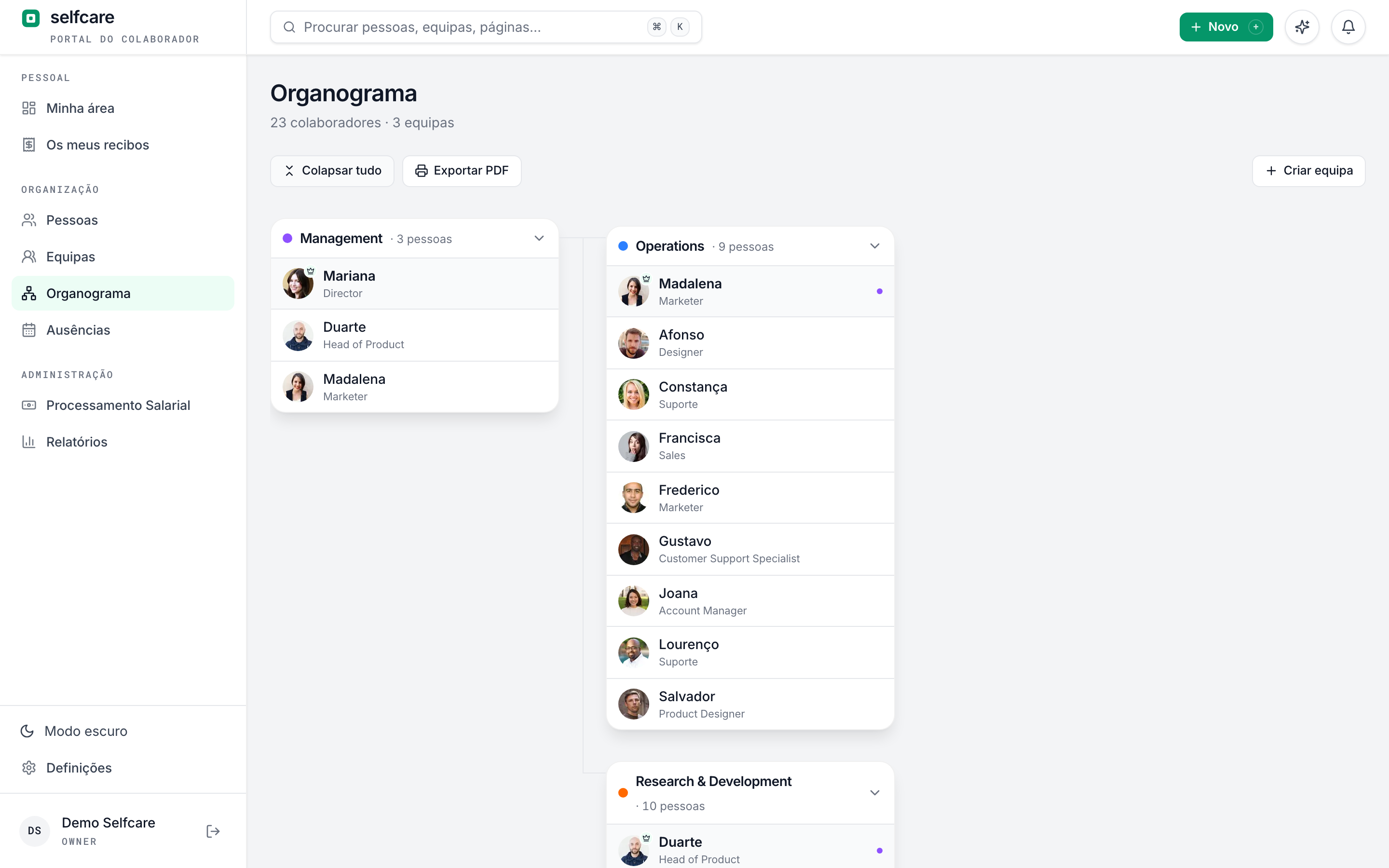
A person can be in several teams, as in real life. Each team has a leader, who approves absences, and the org chart is drawn from there.
- Org chart you can expand, collapse and print to PDF
- Drag people without a team into one
- Each person's approvers in view on their profile
- A directory the whole company can browse
Getting started
Import from Excel and let each person complete the rest
Bring in your employee list from a CSV or Excel file. Then each person gets an invitation and fills in their details in a guided onboarding, with reminders if they forget.
- Recognises each person by number, NIF, NISS (social security number), email or name, and never creates duplicates
- Also imports salaries, as new entries in the history
- See who will be created and who will be updated before you confirm
- Onboarding in steps: personal details, address, contacts, IBAN and tax details
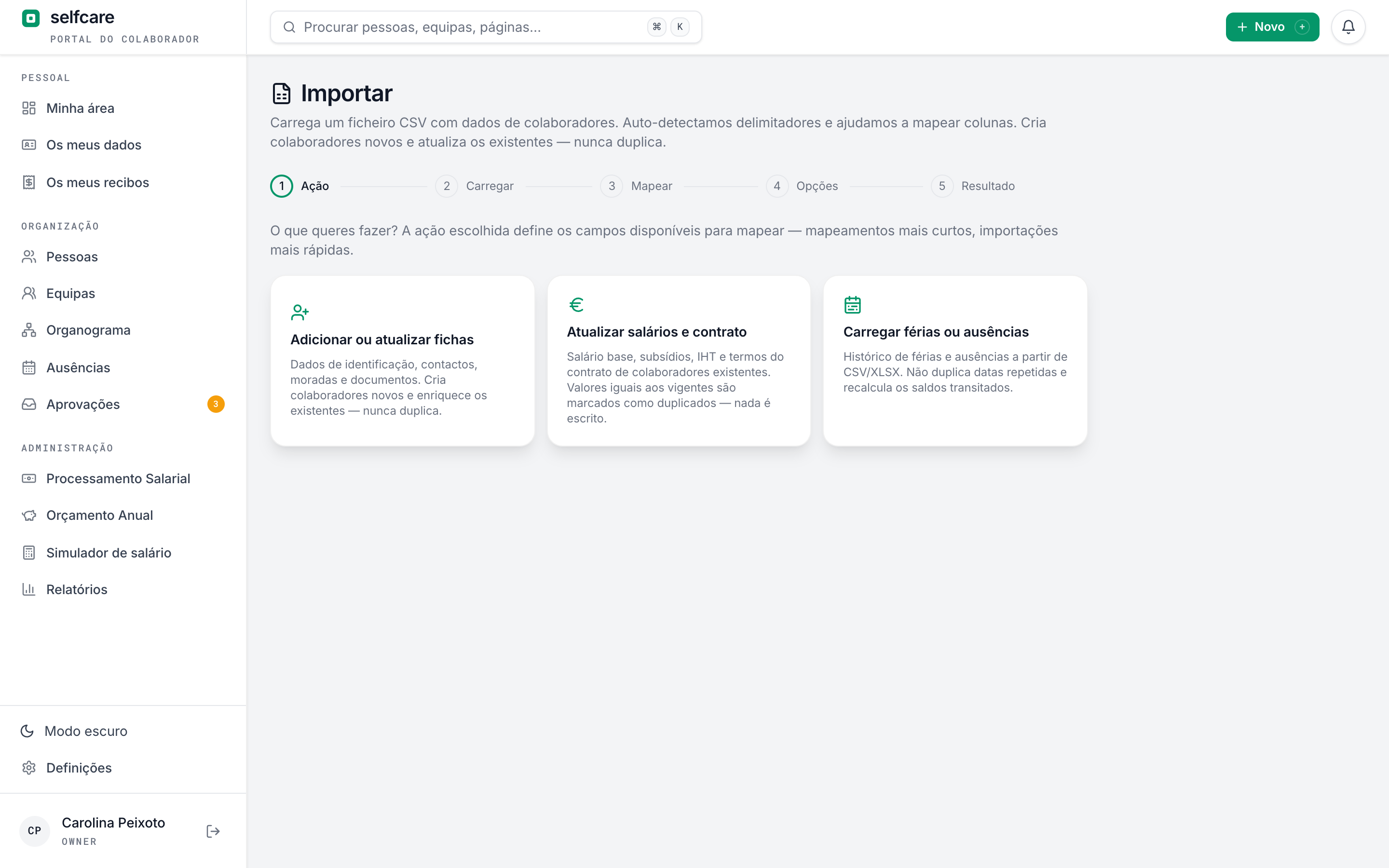
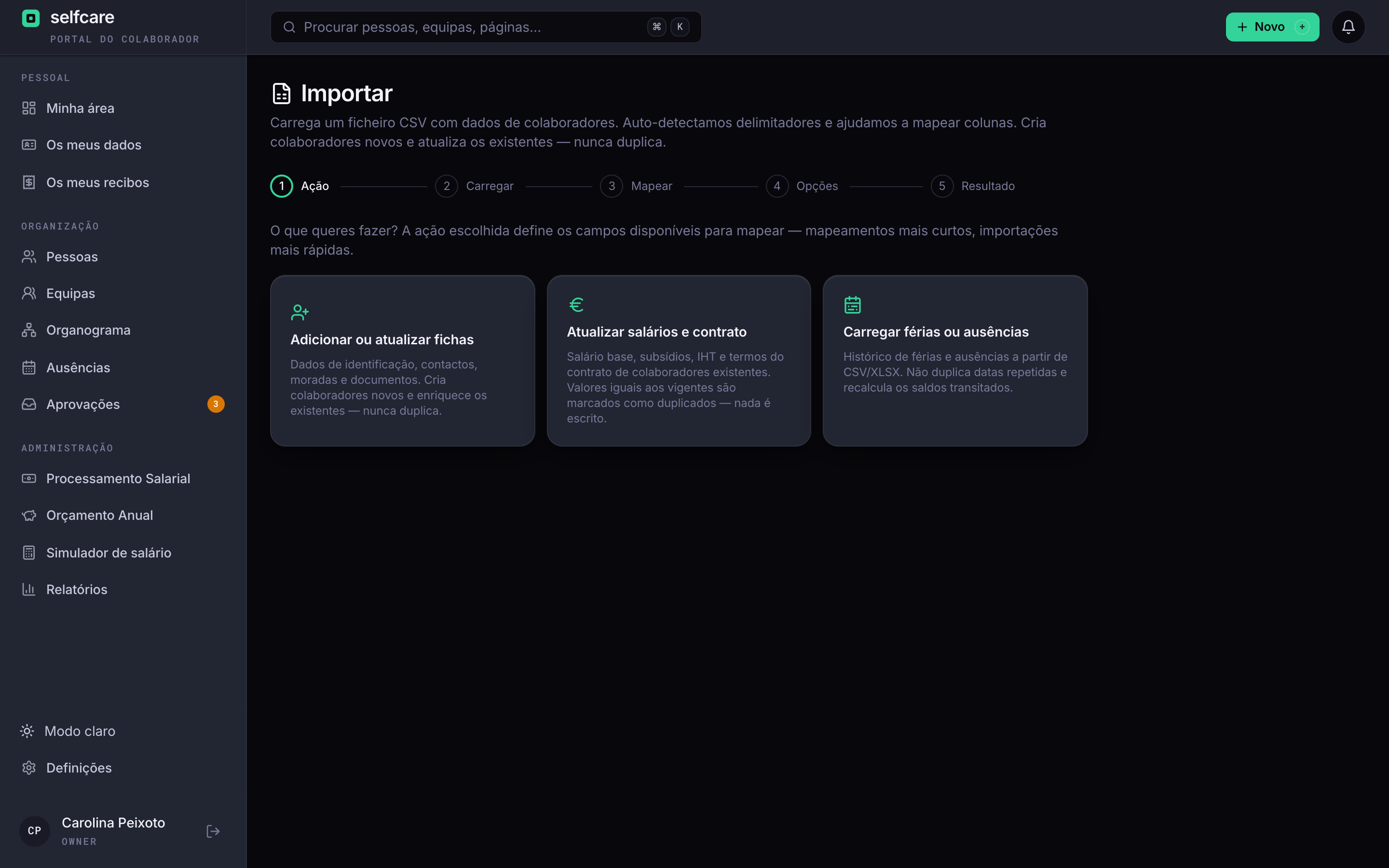
In the demo we run the import live, with your data.
Each piece of data visible only to those who should see it
The server decides what each person sees. It isn't the screen hiding things: the data never reaches anyone who can't see it.
Tax and bank details
Only the owner, HR, the accountant and the person themselves see the NIF, NISS, IBAN and salary.
What the leader needs
Team leaders see their team's contacts, address and emergency contact, and never tax or bank details.
Sharing by consent
Each person decides whether colleagues see their contacts, their birthday and their absences.
Alerts when it matters
When someone changes their IBAN, HR and the accountant are told before the next payroll run.
Missing data in view
HR sees who still has no NIF, NISS, IBAN or date of birth, before that holds up a payslip.
Everything logged
Creating, changing, exporting and archiving all go in the audit log, with who did it and when.
Frequently asked questions
Can employees update their own details?+
Yes: personal details, address, contacts, emergency contact and IBAN. An IBAN change alerts HR and the accountant.
Can a person be in more than one team?+
Yes. Each team has its leader, and that person's absences go to all of them.
How do I invite employees?+
By email, one at a time or in bulk, with each person's role. There's also a join link for people with a company email.
How do I keep track of occupational health fitness certificates?+
You upload the fitness certificate to the person's documents, with the exam date and the expiry date. It only counts as expired after the expiry date, and the owner and HR are told 30 days before and on the day it expires.
What happens when someone leaves the company?+
You record the termination with the reason and the date, the person goes into the last month's payroll and stays in the history. Archiving removes their portal access and frees up the seat on the plan.
Can I get all the data out?+
Yes. The CSV export respects your filters, lets you choose the columns and can be imported back.
See your employees' profiles in Selfcare
In a 30-minute demo we show the profile, the contract and salary history, the org chart and the Excel import.