Documents · New
Your team's documents in one place, with clear rules
Contracts, ID cards, sick notes, payslips and the internal rules stop living in shared folders, emails and stray Drives. Every document sits in the right folder, only the right people see it, and Selfcare warns you before anything expires.
Where is Ana's ID card?
In a shared folder, an attachment from two years ago or on someone's desk. Nobody knows whether it's still valid, who opened it or whether the internal rules that changed in March reached everyone. And payslips go out one by one by email, every month.
Required documents
You choose what you ask for, each person sees what's missing
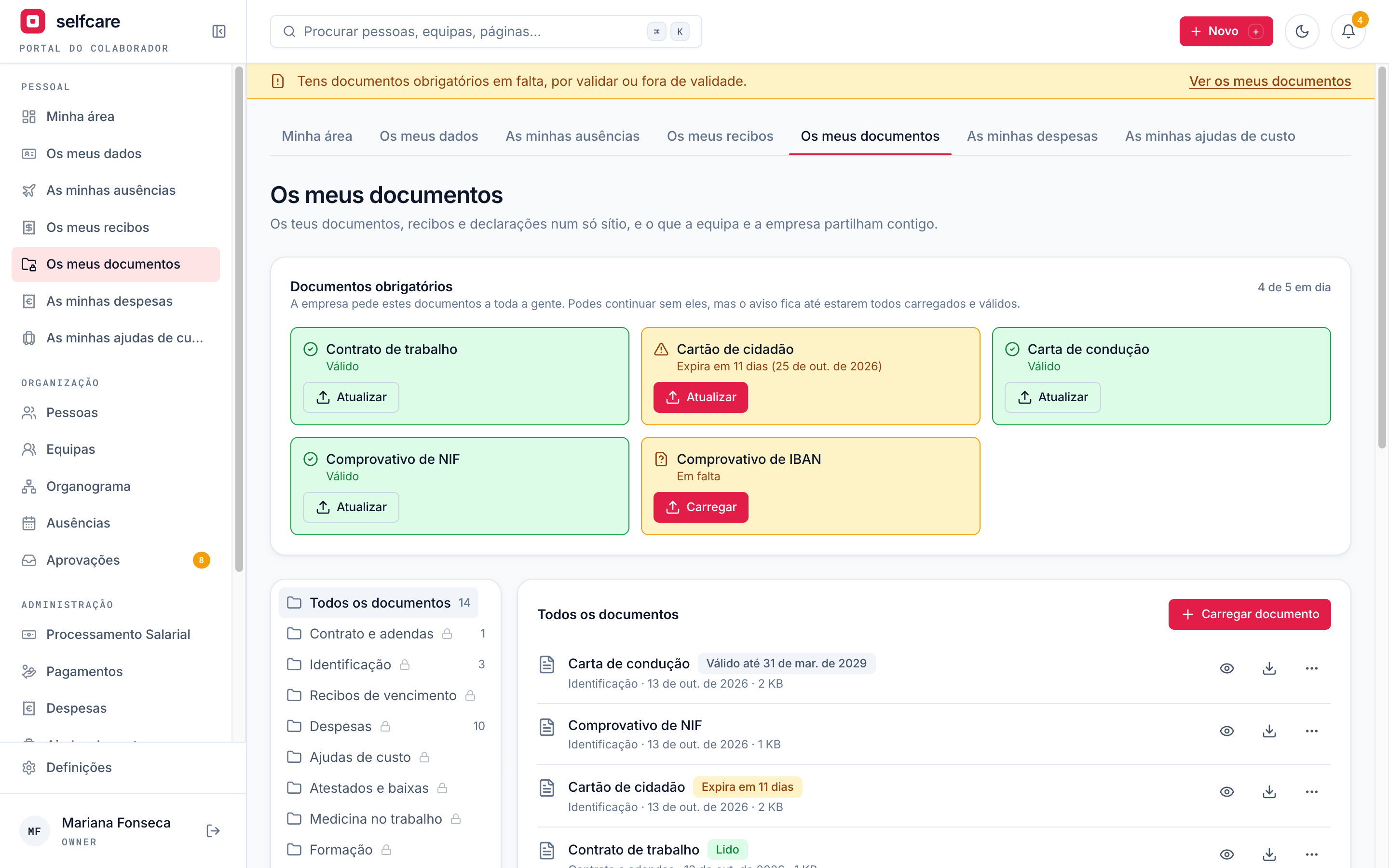
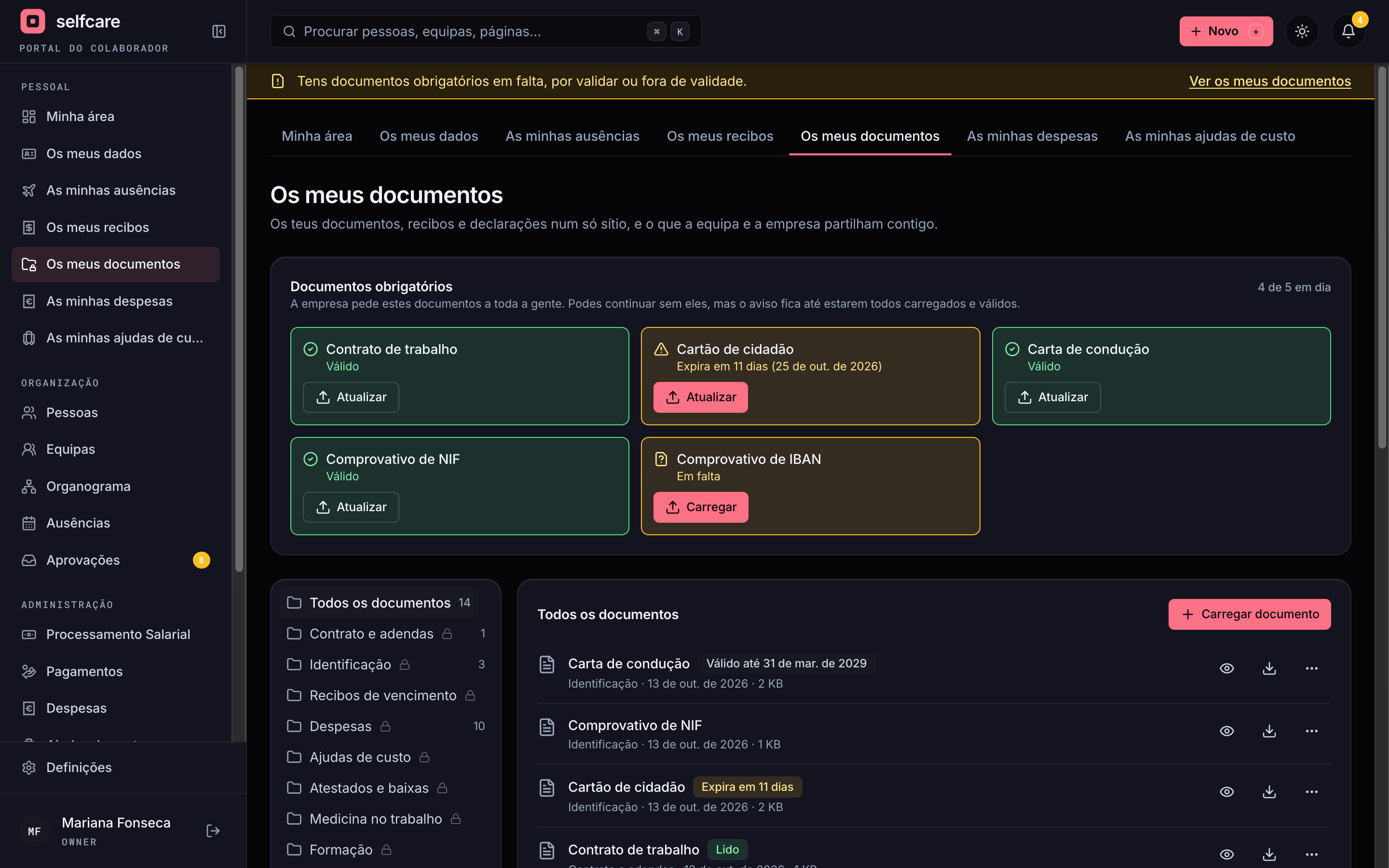
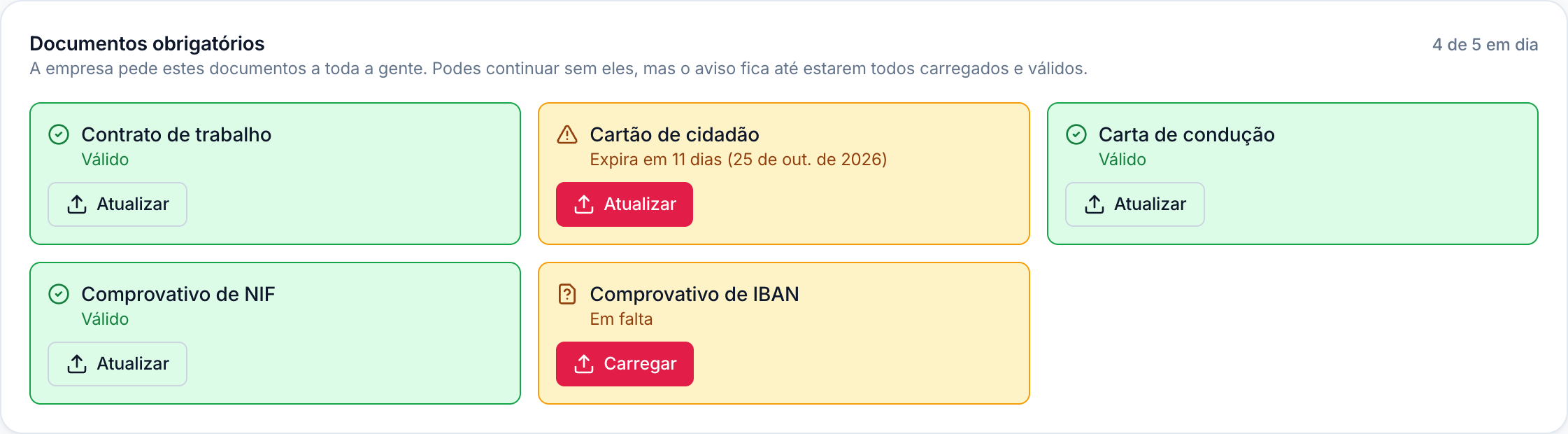
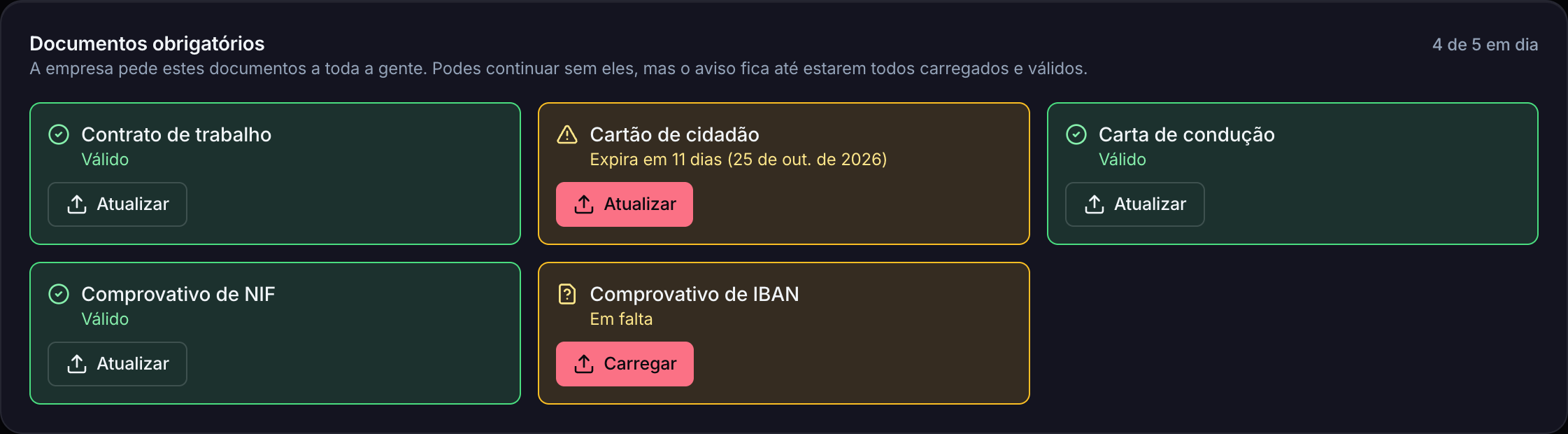
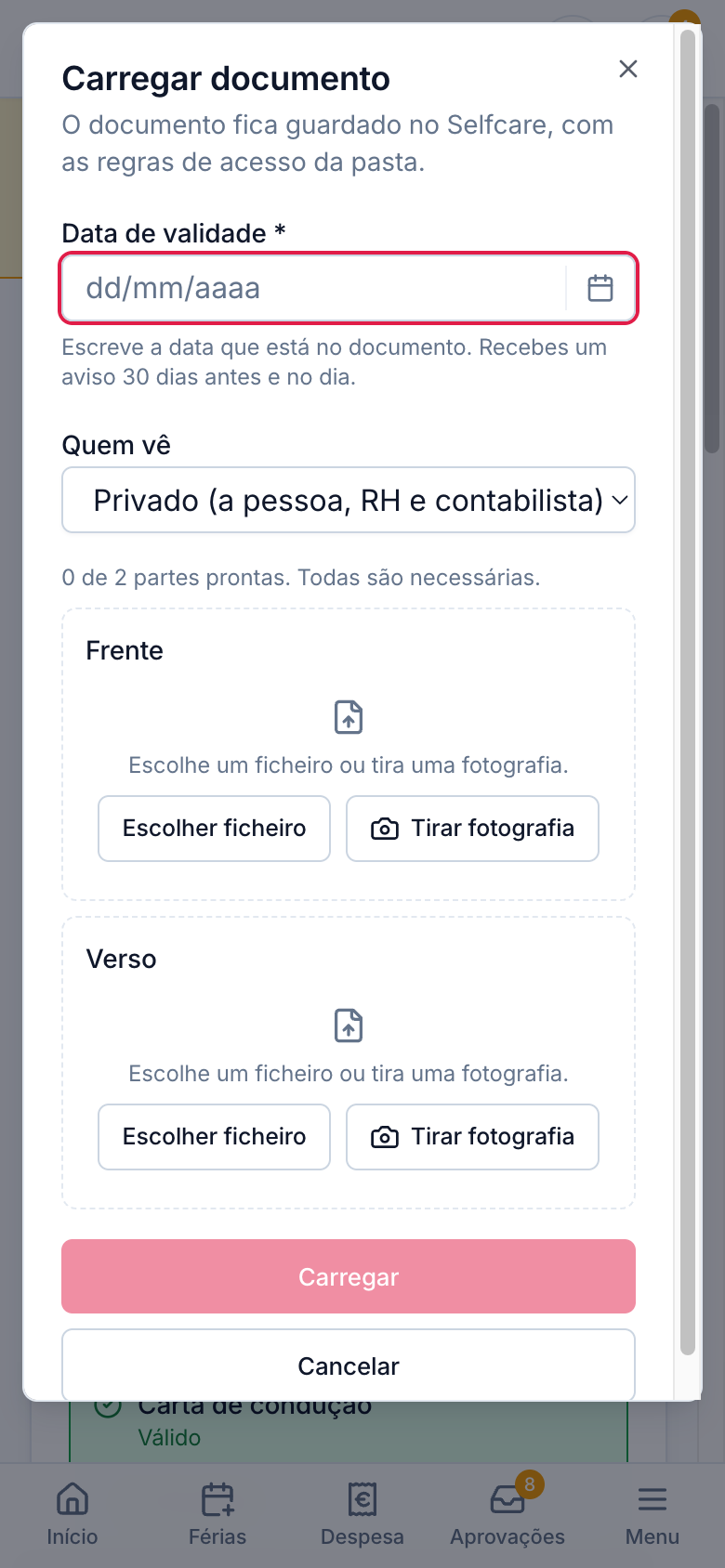
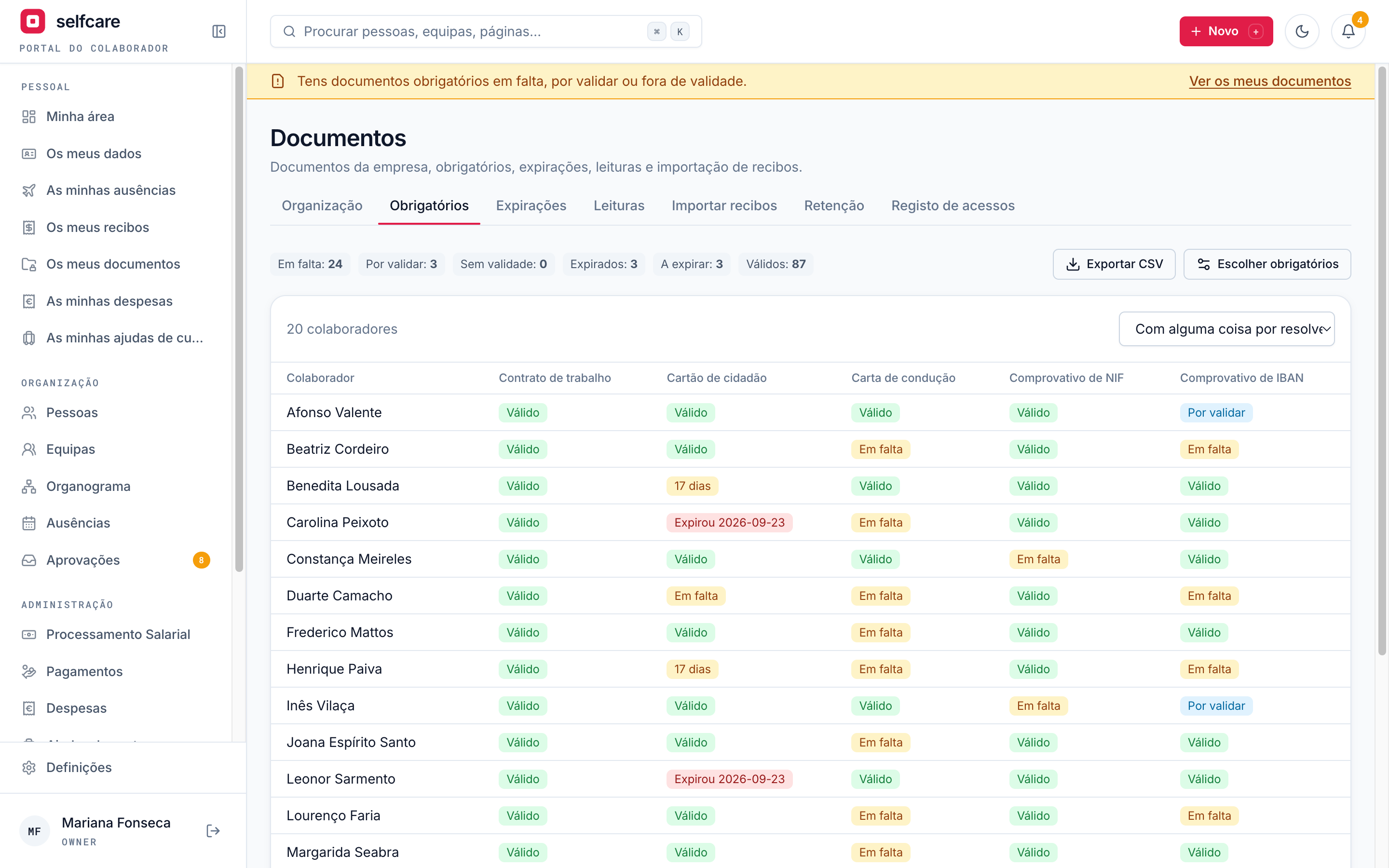
Turn the module on and pick the documents you ask everyone for: contract, ID card, tax number, social security number, bank account proof, driving licence, or others you add. Each employee sees cards with the status of each one and uploads what's missing in seconds.
- Cards in the personal area: missing, uploaded, awaiting validation, expiring, expired
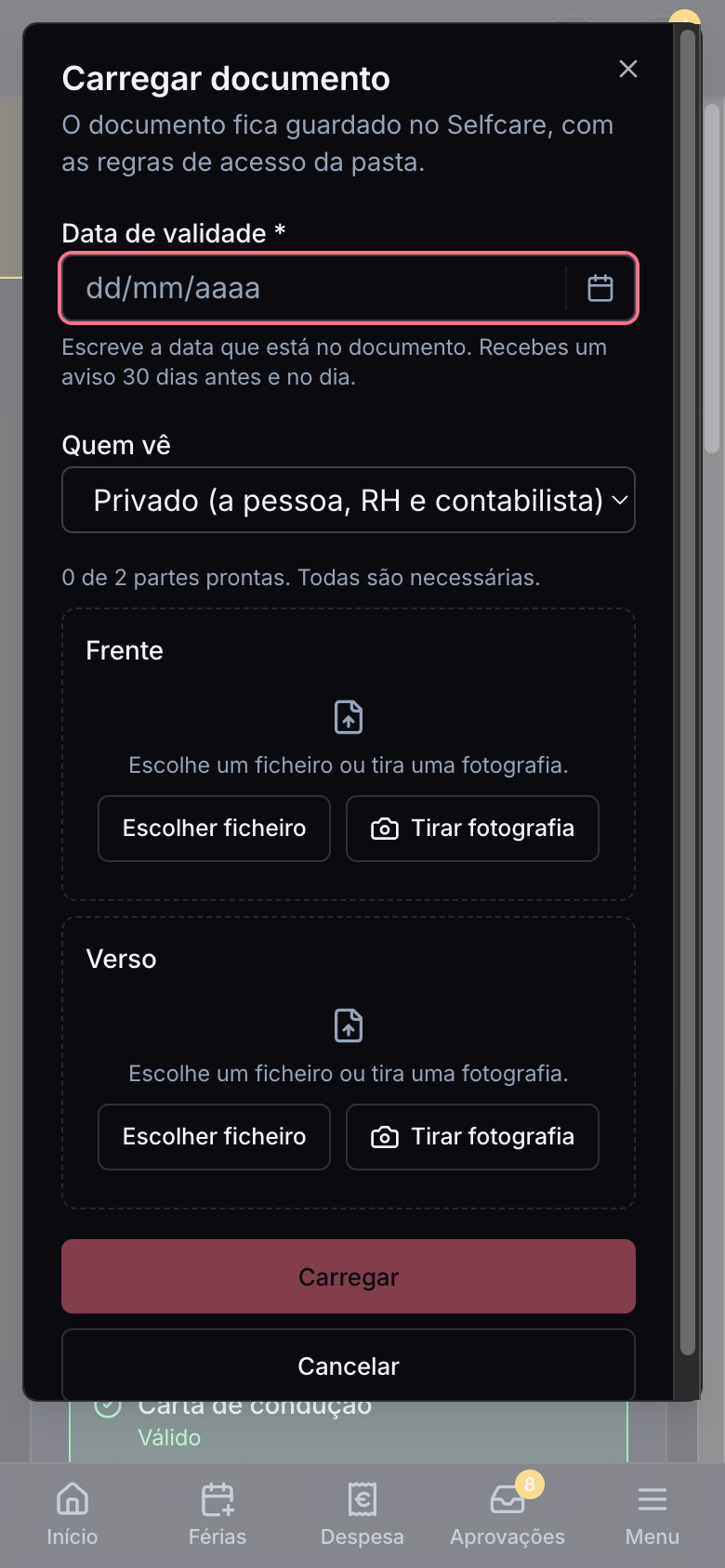
- On a computer, drag the file; on a phone, take the photo right there
- ID card and driving licence front and back: take both photos on your phone and Selfcare merges them into one PDF
- Also asked for on each new employee's first login
- Never blocks: the person keeps using Selfcare, but the reminder stays until everything is up to date
- If you want, HR validates what each person uploads before it counts as delivered
Expiry dates and reminders
Nobody ends up with an expired ID card without knowing
Each document can have an expiry date. The person gets a reminder 30 days before and another on the day it expires, in the app and by email. HR is told when a document expires and always has the list of what's missing and what's expiring.
- Reminder to the person at 30 days and on the day, by email and in the app
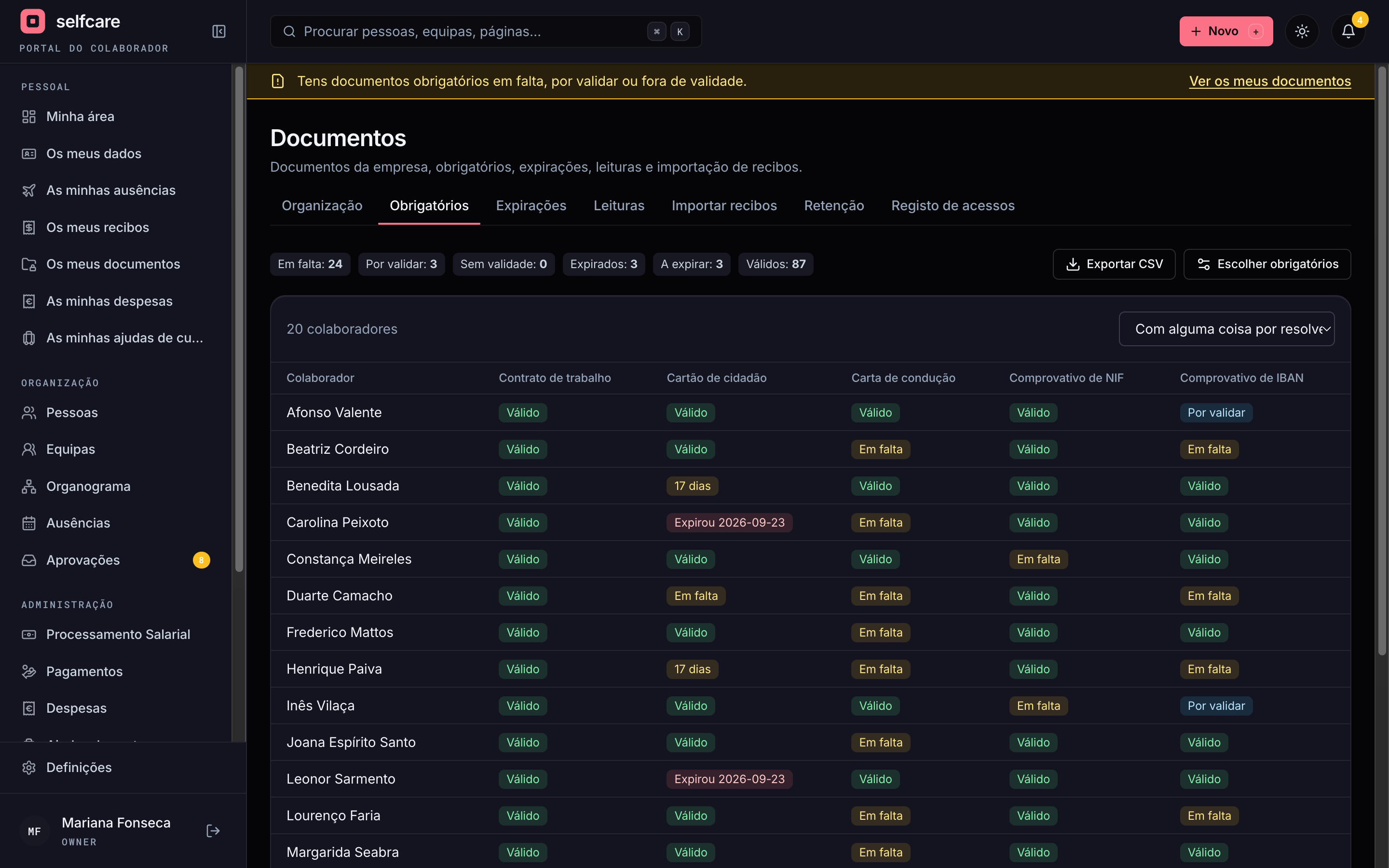
- HR sees, per person and per document, what's missing, expiring and expired
- Export the list to CSV when you need to share it
- A new document replaces the old one: the reminders stop by themselves
In a 30-minute demo we show required documents, expiry dates, read confirmations and importing the month's payslips.
Who it's for
HR and business owners
Contracts, IDs, sick notes and policies in order, with expiry reminders and proof of reading.
Accountants
Deliver payslips to each person without emails: upload the month at once and Selfcare hands them out.
Employees
Their payslips, contracts and statements in one place, on a computer or a phone.
Teams
A folder per team to share procedures, rotas and anything else, only among the people who work together.
Three spaces
The person, the team and the company
Each document lives in one of three places, and the place decides who sees it.
Person
One space per employee. Each document is private (the person, HR and the accountant) or public to the company. Colleagues and leaders don't see private ones.
Team
One space per team. Each document is team-only or public to the company. Per folder, you choose who uploads: the leader and any member, the leader only, or HR only.
Company
Internal rules, policies and manuals. Share with the whole company or only with people, teams, roles or all team leaders.
System folders
Everything in its place, without anyone having to decide
Every employee has the same folders, created by Selfcare, which can't be deleted or renamed. Each document type knows which folder it goes to. You can create your own folders and document types alongside.
- Payslips in one folder, newest first
- Expense receipts and per diem payslips land in the person's folder by themselves
- Disciplinary: owner and HR only, not the person nor the accountant
- Sick notes are always private and never show up by name in emails or notifications
- Contract and addenda/
- Identification/
- Payslips/
- 2026 - September (version 2)
- Expenses/
- Per diem/
- Sick notes and leave/
- Occupational health/
- Training/
- Reviews/
- Disciplinary/
- Insurance/
- Statements/
See Documents working in your company
Read and acknowledged
You know who read the rules, and which version
Ask for confirmation that a contract, a policy or the internal rules were read. Each person confirms with one click and who, which version and when is recorded. You always have the list of who's missing.
- For person, team or company documents
- A new version asks for confirmation again
- List of who has read it and who hasn't, document by document


Versions
Uploading on top doesn't delete what was there
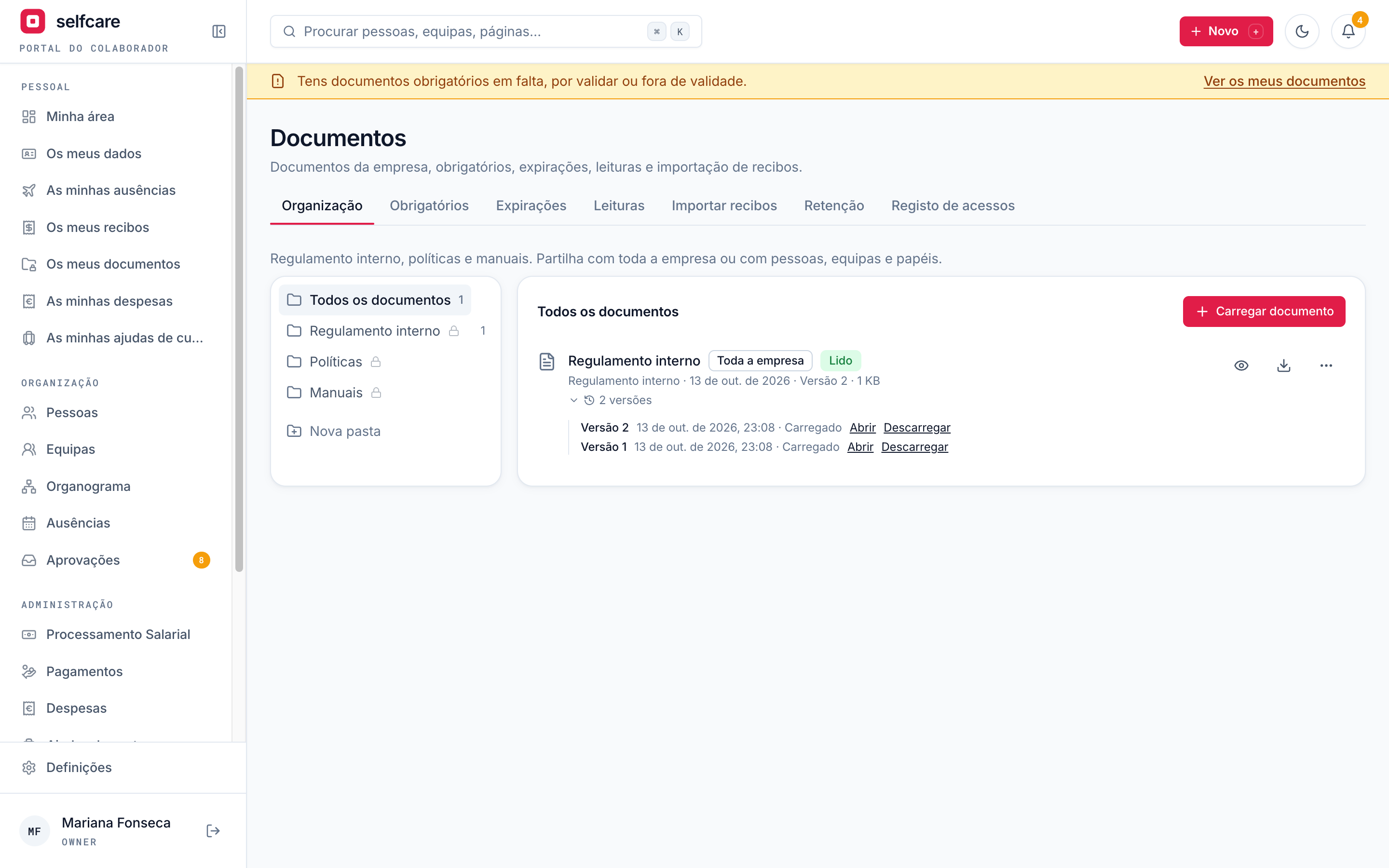
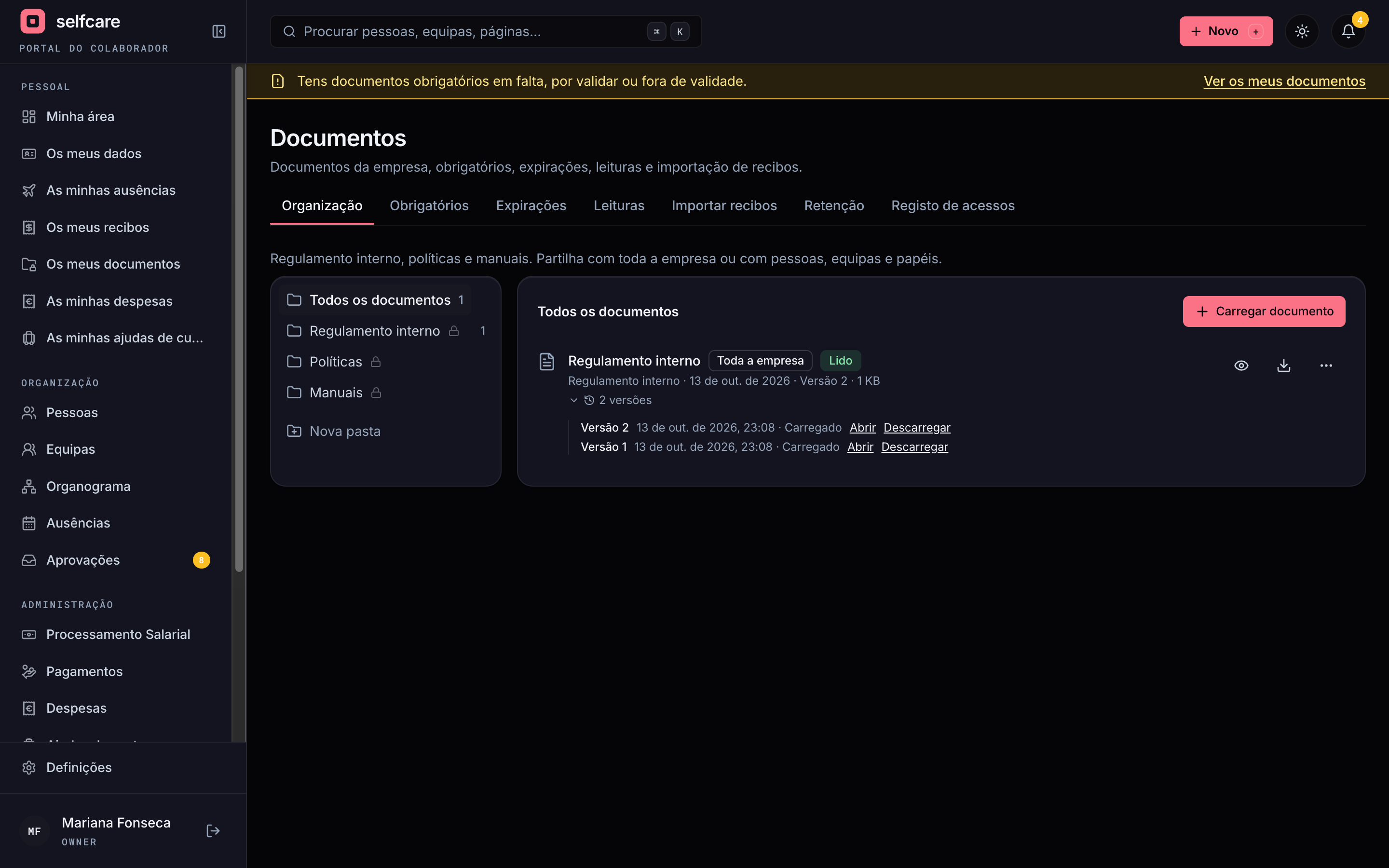
A new document on top of another becomes the current version. Earlier ones stay viewable and downloadable, with the date and who uploaded them.
- Version history on every document
- A renewed ID card goes in as a new version of the same document
- Payslips corrected at month close become a new version, without losing the earlier one
Payslips in bulk
The whole month of payslips, delivered at once
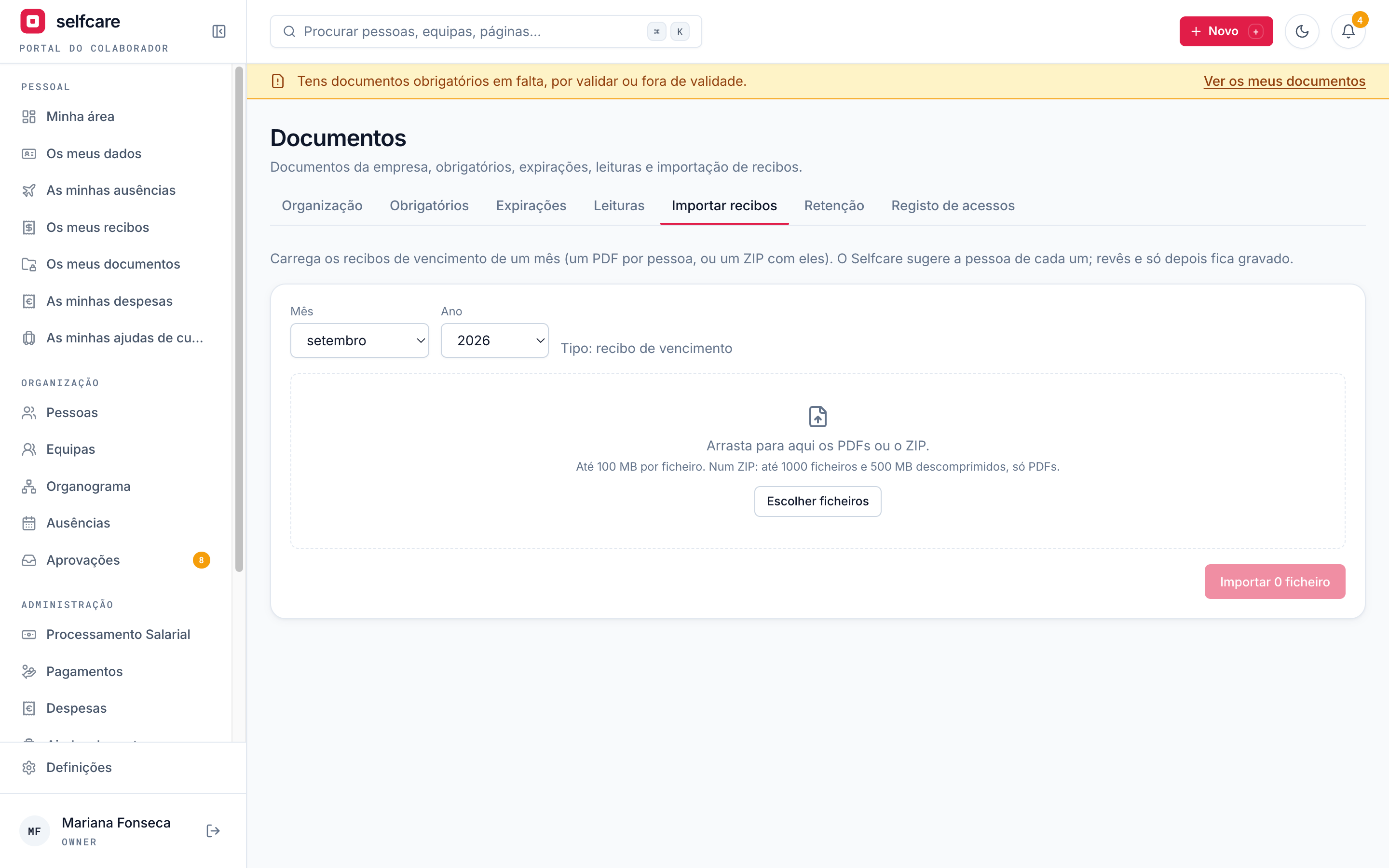
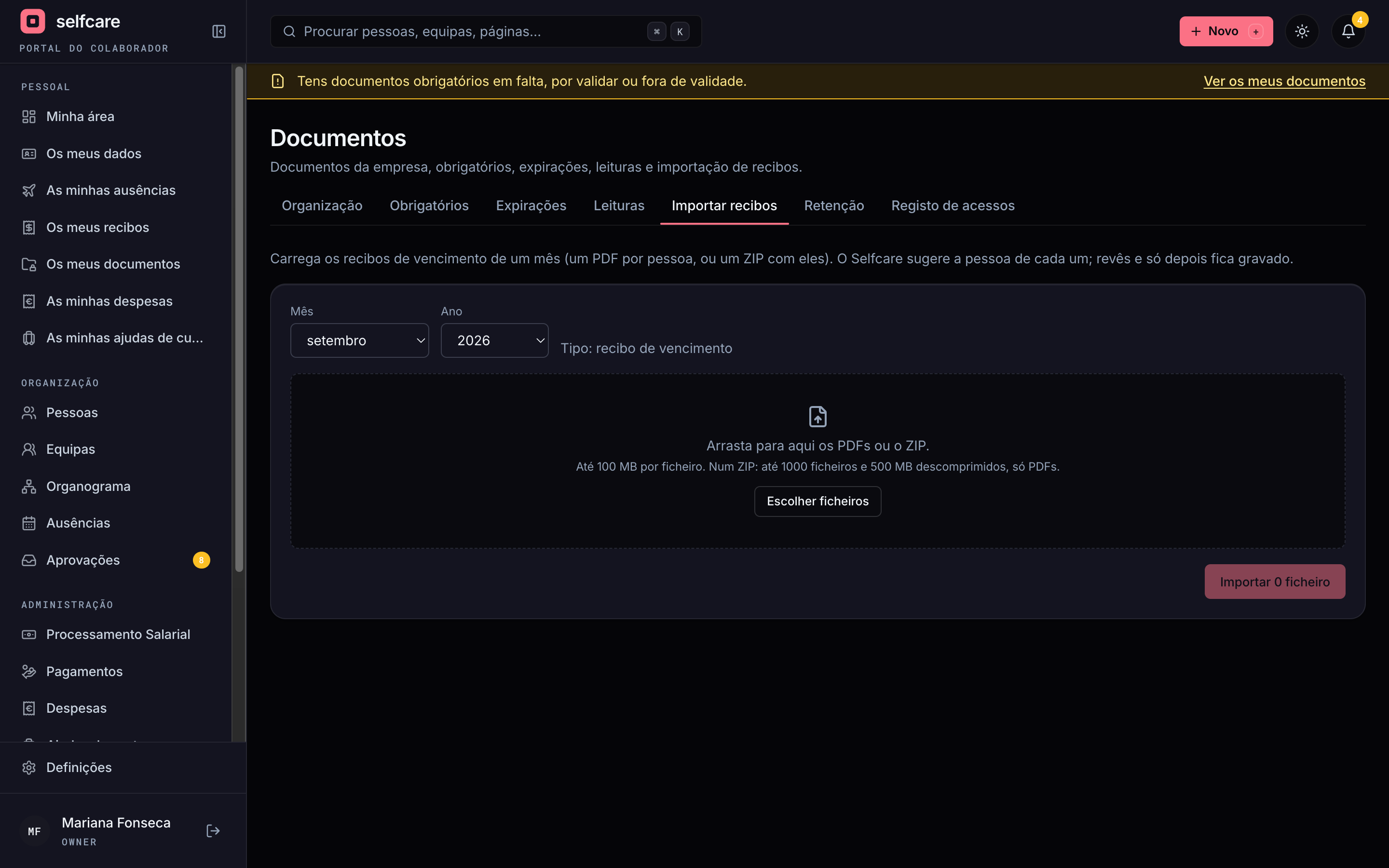
The accountant or HR uploads the month's payslips, one PDF per person or a ZIP with all of them. Selfcare reads each payslip and suggests the person by tax number, social security number or name. You review the list, fix anything in yellow and confirm. Each person gets a notice, with no attachments or amounts in the email.
- Loose PDFs or a ZIP, even for companies with more than 100 people, with the progress bar in view
- Matching by tax number, social security number or name, with the criterion and confidence of each suggestion
- Unmatched or ambiguous files stay in yellow, for you to choose the person
- A match made by hand is remembered for the following months
- If the person already has that month's payslip, the new one becomes a new version
- Nothing is saved until you confirm
In a 30-minute demo we show required documents, expiry dates, read confirmations and importing the month's payslips.
Privacy and GDPR
Sensitive data treated as such from day one
Payslips and sick notes are sensitive data. That's why Selfcare records every access, lets you export everything that belongs to a person and delete it when the period your company set is over. Retention periods depend on each document type: confirm them with your advisers.
Access log
Who opened, downloaded, uploaded, replaced, shared or deleted each document, and when. The log can't be changed or deleted.
Export and delete
All of a person's documents in a ZIP, with every version. Delete for good, with confirmation and a record, after the period you set.
When someone leaves
The folder becomes read-only for HR. The person loses access to their documents after the month of their last payslip is closed.
Stored only in Selfcare
Files stay in Selfcare's storage, with no sync to external Drives. Each file opens only after Selfcare confirms who you are.
Accountants with several companies
Each client company is a world apart: what you see in one never shows up in another.
Health data protected
Sick notes never show up by name in emails, notifications or exports for anyone who can't see them.
Unlimited storage, on every plan
Keep the documents you need, up to 100 MB per file: PDF, images and Word, Excel and PowerPoint documents. No counting gigabytes, no storage plans.
Frequently asked questions
How do I turn Documents on?+
In Settings, Modules, turn Documents on. The owner, HR and the accountant can do it. Turning it off hides the module and deletes nothing.
Do required documents block the employee?+
No. The person keeps using Selfcare. There's just a reminder at the top until the documents are all uploaded and valid.
Who sees an employee's document?+
A private document is seen by the person, the owner, HR and the accountant. Colleagues and leaders don't. A public document is seen by the whole company. Disciplinary documents are seen only by the owner and HR.
Is the expiry date read automatically?+
No. Whoever uploads enters the date printed on the document, and the reminders go out from it.
Do Selfcare's payslips show up here?+
Yes. With Selfcare payroll, each payslip lands in the person's folder when the month closes. If you also import payslips from another system for the same month, they become versions of the same document.
Can I import payslips from other payroll software?+
Yes. Upload the month's PDFs or a ZIP, review the suggested person for each payslip and confirm. Scanned PDFs without text are left for you to choose the person by hand.
Do you connect to Google Drive, OneDrive or Dropbox?+
No, on purpose. Documents stay only in Selfcare, so folder rules always apply and nothing gets lost in a sync.
Is there a storage limit?+
There's no storage limit on any plan. Each file can be up to 100 MB.
Can documents be signed digitally?+
Not yet. Today you have "read and acknowledged", with a record of who read it, which version and when.
See Documents working in your company
In a 30-minute demo we show required documents, expiry dates, read confirmations and importing the month's payslips.